Automations

Tools, utilities, and scripts I’ve developed to streamline workflows, enhance productivity, and customize user experiences across various platforms and devices.

Besides using Mac, Linux, and Windows as daily drivers, I use both my phones (Android and iOS) purely for experimental purposes: one for rooting and the other for jailbreaking.

KernelSU Next
Android 16 Canary 2512 (ZP11.251121.010)

My rooting setup leverages KernelSU Next for a systemless root that modifies the kernel directly. This allows me to pass SafetyNet/Play Integrity while maintaining full control.

LSPosed Framework

Utilizing ReLSPosed to inject code into the Zygote process, allowing for granular UI and system modifications without touching system partitions.

macOS./zshv1.0

KeepMe CLI

A lightweight Zsh wrapper around the native macOS caffeinate command. It manages a PID file to ensure only one instance runs at a time and sends native desktop notifications when toggled.

  • Prevents display & system sleep
  • PID file management (Singleton)
  • Native macOS Notifications
  • Colored Terminal Output
$ keepme on | off
#!/bin/zsh # Configuration PID_FILE="$HOME/.custom_scripts/.keepmeon.pid" # Colors for terminal output GREEN='\033[0;32m' RED='\033[0;31m' YELLOW='\033[1;33m' BLUE='\033[0;34m' NC='\033[0m' # No Color # Function to send macOS Notification function send_notify() { # $1 = Message, $2 = Sound osascript -e "display notification \"$1\" with title \"☕️ KeepMe\" sound name \"$2\"" } case "$1" in on) # Check if already running to prevent duplicates if [ -f "$PID_FILE" ] && kill -0 "$(cat "$PID_FILE")" 2>/dev/null; then echo "${YELLOW}⚠️ KeepMe is already active (PID: $(cat "$PID_FILE"))${NC}" else # Run caffeinate in background caffeinate -d -i -m -s & echo $! > "$PID_FILE" echo "${GREEN}🟢 Stay awake mode ON${NC}" send_notify "Insomnia mode activated." "Hero" fi ;; off) if [ -f "$PID_FILE" ]; then TARGET_PID=$(cat "$PID_FILE") # Check if the process actually exists before killing if kill -0 "$TARGET_PID" 2>/dev/null; then kill "$TARGET_PID" rm "$PID_FILE" echo "${RED}🔕 Sleep mode OFF - back to normal${NC}" send_notify "Back to normal sleep mode." "Pop" else # PID file exists but process is gone (stale file) rm "$PID_FILE" echo "${YELLOW}⚠️ Session was closed unexpectedly. Cleaning up.${NC}" fi else echo "${YELLOW}⚠️ No active keepme session found${NC}" fi ;; status) if [ -f "$PID_FILE" ] && kill -0 "$(cat "$PID_FILE")" 2>/dev/null; then echo "${GREEN}☕️ KeepMe is RUNNING (PID: $(cat "$PID_FILE"))${NC}" else echo "${BLUE}💤 KeepMe is STOPPED${NC}" fi ;; *) echo "Usage: keepme [on|off|status]" ;; esac
Script Source Code
iOS./scriptablev5.4

CPIA Attendance Tracker

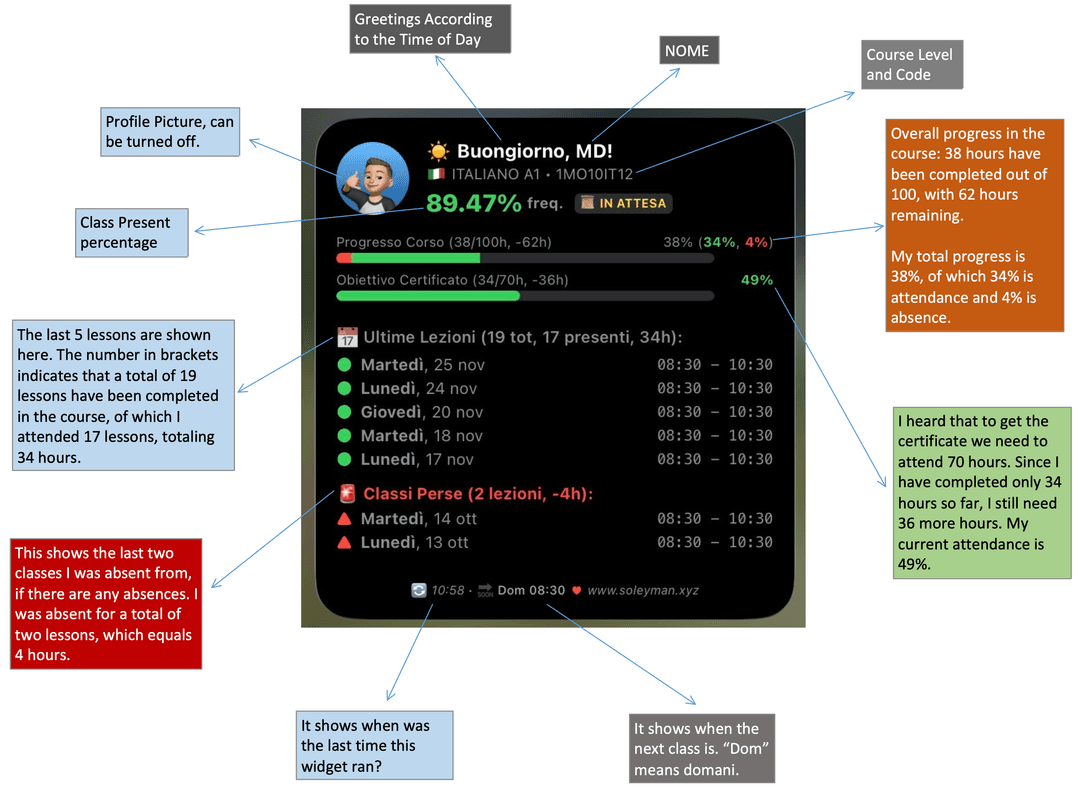
A custom-built Scriptable widget designed to monitor my CPIA Italian language school attendance in real-time. It connects to a private API to fetch lesson history and calculates progress.

  • Visual timeline of daily lessons
  • Smart "Next Class" prediction logic
  • Dynamic contact photo fetching
  • Alerts for missed classes
CPIA Widget ScreenshotExpand
Widget Preview
iOS./scriptablev2.0

Weekly Forecast Graph

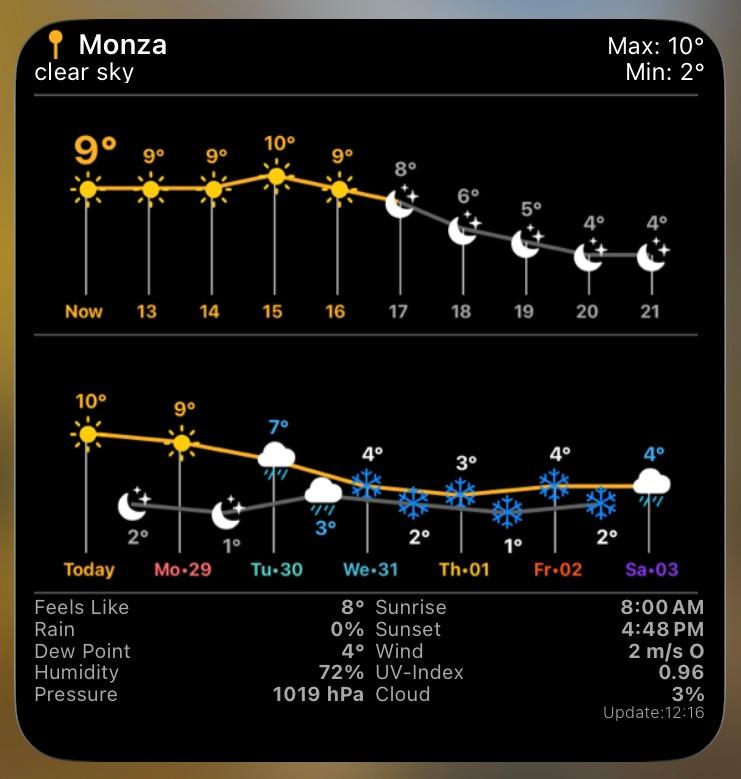
A highly dense data visualization widget powered by the OpenWeatherMap API. It draws custom Bezier curve graphs directly onto the canvas context to visualize temperature trends over 24 hours and 7 days.

  • Canvas-drawn temperature graphs
  • Dynamic sun timeline
  • Detailed atmospheric metrics
  • Adaptive night mode
Weather Widget ScreenshotExpand
Widget Preview
iOS./shortcutv1.0

Train Master

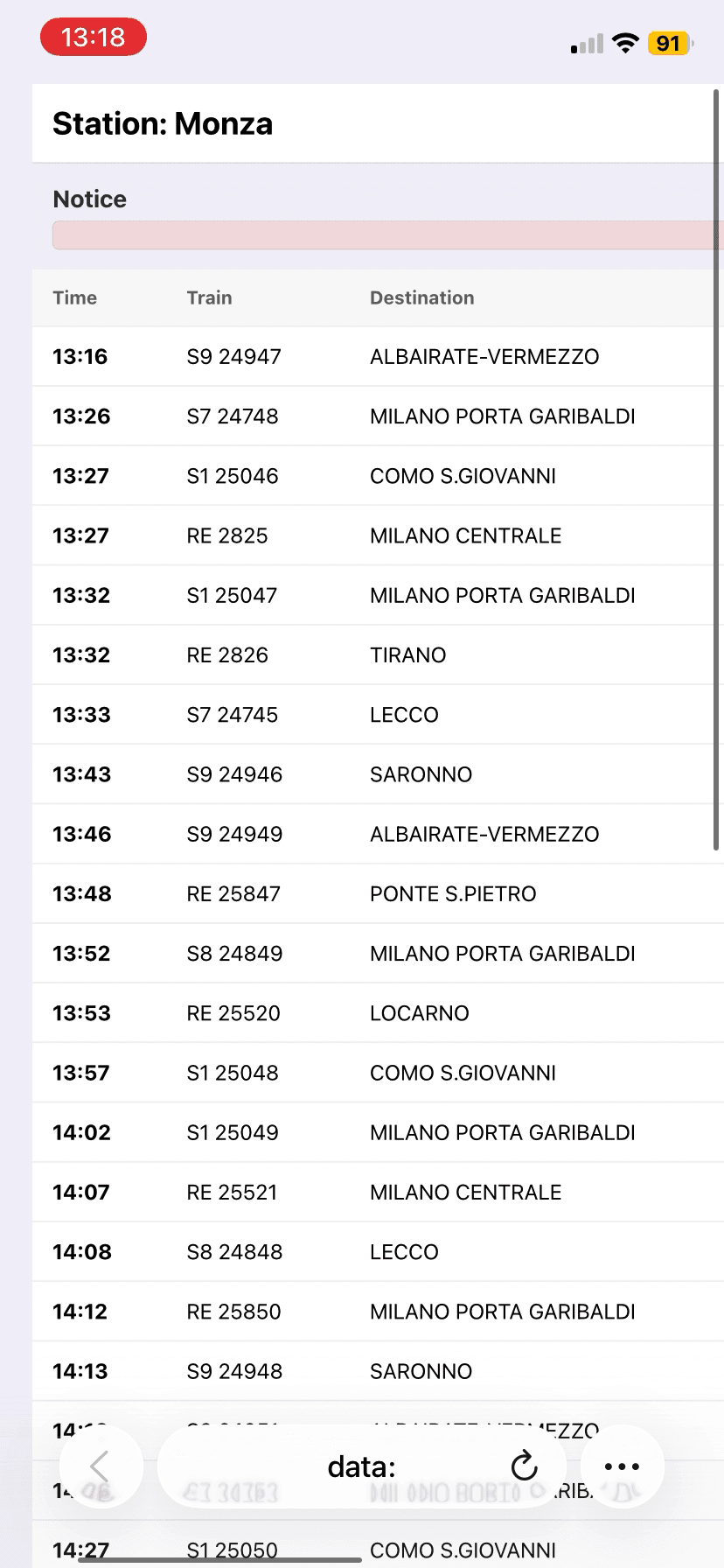
An advanced iOS Shortcut that acts as a standalone app. It performs fuzzy search on station databases, fetches real-time API data, and dynamically generates a Base64-encoded HTML dashboard.

  • JSON-based station fuzzy search
  • Dynamic API payload construction
  • Base64 HTML generation & rendering
  • Handles direct & alternative routes
Trenord Shortcut DemoPlay
Screen Recording
iOS./scriptablev3.2

Visual Upcoming Agenda

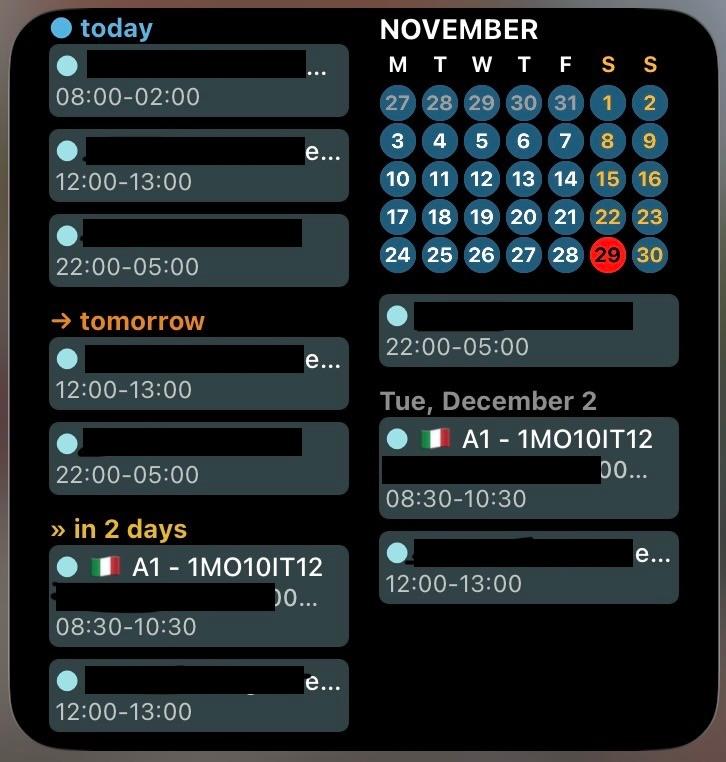
A high-fidelity dashboard designed to visualize upcoming events instantly. It uses low-level DrawContext rendering to generate custom event density heatmaps and list layouts.

  • Event density heatmaps
  • Adaptive layouts (S/M/L)
  • Fantastical integration
  • Relative time logic
Calendar Widget ScreenshotExpand
Widget Preview